How a Smart Thermostat Cuts Summer Energy Bills
A smart thermostat can save Long Island homeowners 10-15% on heating and cooling. What they cost, how installation works, and how the savings add up.
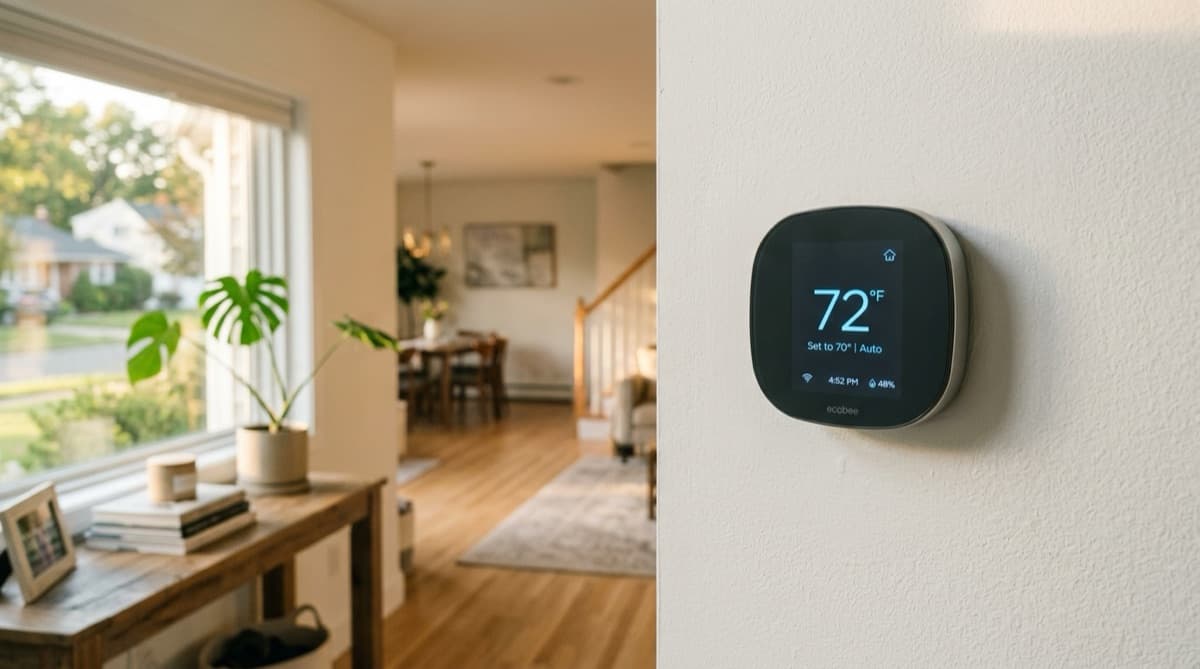
Your old thermostat might be costing you more than you think
If you're still running a basic thermostat that just has an up arrow and a down arrow, you're probably paying more than you need to every summer. Most homeowners on Long Island set the AC to 72 when they get home, forget about it, and then wince when the PSEG bill shows up in August.
A smart thermostat won't magically make your air conditioner more efficient. But it will stop your HVAC system from running when it doesn't need to, and over a full heating and cooling season on Long Island, that adds up fast. If you want to save energy without sacrificing comfort, swapping out your old thermostat for a smart one is the single easiest upgrade you can make.
What a smart thermostat actually does differently
A basic thermostat turns your AC on when the temperature goes above your set point and off when it drops below it. That's it. A smart thermostat does the same thing, but with a lot more context.
Most smart thermostats learn your schedule over the first week or two. They figure out when you leave for work, when you come home, and when you go to bed. Then they adjust automatically so you're not cooling an empty house to 72 degrees from 8am to 5pm. Some models use geofencing through your phone's location to know when you're heading home and start pre-cooling before you walk through the door.
They also connect to your wi-fi network and track how long it takes your HVAC system to reach a set temperature based on outdoor conditions. On a 95-degree day in July, your AC takes a lot longer to pull the house down from 80 to 72 than it does on an 82-degree day in May. A smart thermostat accounts for that and starts the system earlier when it knows a hot day is coming. The thermostat is the simplest entry point into making your heating and cooling system more efficient.
How much can you actually save
The EPA's Energy Star program estimates that a properly used smart thermostat saves about 8% on heating and cooling costs. In practice, most Long Island homeowners we talk to see closer to 10-15% savings on their summer PSEG bills after switching from a manual thermostat.
Here's why the savings are real. A typical Suffolk County home spends somewhere between $250 and $400 per month on electricity during peak summer, with air conditioning making up about half of that. Even a conservative 10% reduction on the cooling portion saves you $12-$20 a month. Over a full cooling season from June through September, that's $50-$80 in energy savings. Factor in the heating season too, and most smart thermostats pay for themselves within the first year.
The biggest savings come from homeowners who were previously running their AC all day whether anyone was home or not. If you already micromanage your thermostat and turn it up before you leave every morning, you'll still see savings from the optimization features, but the gap will be smaller.
Which smart thermostat should you buy
There are really only a few worth considering for most Long Island homes. The ecobee Smart Thermostat Premium and the Google Nest Learning Thermostat are the two most popular, and for good reason.
The ecobee comes with a remote room sensor, which is a big deal if your thermostat is in a hallway but you spend most of your time in the living room or bedroom. It measures the temperature where you actually are, not just where the thermostat happens to be mounted. If your house has hot spots or rooms that never seem to cool evenly, the room sensors help the system make smarter decisions.
The Google Nest learns your schedule automatically and has a clean interface that most people find easy to use. It also works well with Google Home if you're already in that ecosystem. Both the Nest and ecobee connect to your wi-fi and let you control everything from your phone.
Both run in the $200-$250 range. There are cheaper options from Honeywell and others in the $100-$150 range that still offer scheduling and app control, but they typically lack the learning features and room sensors that deliver the biggest energy savings. If you'd rather not pay out of pocket for one, our Premier maintenance plan includes a free ecobee as part of the monthly membership.
One thing to check before you buy: make sure your system has a C-wire (common wire) at the thermostat location. Most smart thermostats need one for continuous power. If your home doesn't have one, which is common in older Long Island houses from the 50s and 60s, you'll need a C-wire adapter or a short bit of wiring work during the installation process.
How to install a smart thermostat yourself
If you've got a C-wire and a straightforward single-zone HVAC system, smart thermostat installation is a pretty reasonable DIY project. Here's the basic installation process most people follow.
First, turn off your HVAC system at the breaker. This is not optional. You're working with low-voltage wiring, so it's not dangerous, but leaving the system on while you swap wires can blow a fuse on your control board.
Next, remove the faceplate from your old thermostat. Before you disconnect any wires, take a picture of the wiring with your phone. You'll want to know which colored wire goes to which terminal. Most thermostats label the terminals with letters like R, W, Y, G, and C. Your new thermostat will use the same letters, so having that photo as reference makes the whole process straightforward.
Disconnect the wires from the old thermostat terminals one at a time and label them if they're not already color-coded. Pull the wires through gently so they don't fall back into the wall. Remove the old mounting plate and install the new thermostat's base plate using the included screws. A basic screwdriver is really all you need for tools.
Connect each wire to the matching terminal on the new thermostat. The ecobee and Google Nest apps both have an installation guide that walks you through exactly which wire goes where based on your specific setup. Once the wires are connected, attach the faceplate, turn the breaker back on, and follow the on-screen setup to connect the thermostat to your wi-fi network.
If your old thermostat doesn't have a C-wire, both ecobee and Nest include an adapter that can work around this in many cases. The ecobee Power Extender Kit is the most reliable option. It installs at your furnace or air handler and uses existing wiring to deliver power to the new thermostat without running new wire.
When to call a pro for smart thermostat installation
Where it gets tricky is if you have a heat pump (learn more from the DOE), a multi-zone setup, or wiring that doesn't match the standard labels. Heat pumps use additional wires for the reversing valve and auxiliary heat, and getting those wrong can cause your system to run in the wrong mode. If your heat pump is a variable-speed inverter model, knowing how it differs from an older single-speed system helps your installer set the controls right. Our guide on inverter vs single-speed heat pumps explains the difference.
If you pull the faceplate off your old thermostat and see more than five or six wires, or the terminal labels don't match anything in the installation guide, stop and call someone. Professional smart thermostat installation typically runs $75-$150 for the labor on top of the thermostat cost. If the tech needs to run a new C-wire, add another $50-$100 depending on how accessible the wiring is.
Getting the most out of your smart thermostat in summer
Installing it is only half the equation. How you set it up matters just as much.
Set your "away" temperature to 78-80 degrees in summer rather than turning the system completely off. Turning the AC off and letting the house climb to 90 means the system has to work much harder to pull it back down when you get home, and your house stays uncomfortable for the first hour. Letting it float at 78 keeps the humidity in check and gives the system a much shorter recovery time.
Use the scheduling features. Even if the thermostat learns your routine, set a manual schedule as a baseline. Program it to bump up to 78 when you leave for work and start cooling back to 74 about 30 minutes before you typically get home.
If you have room sensors, put them in the rooms where you spend the most time. The thermostat in the hallway might read 73 while your upstairs bedroom is sitting at 78. The sensor tells the system to keep running until the room that matters is actually comfortable.
And don't forget to check your air filter. A smart thermostat can optimize your schedule all day long, but if the system is choking on a dirty filter, you're still wasting energy and money. It's the simplest thing on the maintenance list and it makes everything else work better.
Is a smart thermostat worth it on Long Island
For most homeowners, yes. The math works out within the first year on energy savings alone, and the comfort improvements from better scheduling and room sensors are a nice bonus on top of that.
The one scenario where it doesn't make as much sense is if you work from home full time and your house is occupied and climate-controlled all day anyway. You'll still benefit from the optimization features, but the "away mode" savings that drive most of the ROI won't apply to you as much.
If you're thinking about upgrading your thermostat before summer hits, give us a call or text at 631-209-7090. We can help you pick the right model for your system and handle the smart thermostat installation if you'd rather not deal with the wiring yourself.
Related Articles
Solar and Heat Pumps: A Match Made in Heaven, With One Winter Catch
Solar and a heat pump pair well on Long Island, but solar panel output bottoms out in December when heating load peaks. The honest math on sizing both.
How to Get the Most Out of Your Pool Heat Pump This Summer
Improve pool heat pump efficiency on Long Island: covers, pump timing, and pool heating settings that cut what your pool heater costs to run each month.
Keeping Your Home Cool in a Long Island Heat Wave
Practical ways Long Island homeowners keep the house cool in a heat wave without blowing up the PSEG bill or burning out the air conditioner outside.